
You send an iMessage, it turns blue, and then… nothing. No “Delivered” status. No “Read” sign. Just a blue bubble hanging there.
If your message is blue but not delivered, you’re not alone. Many iPhone users experience this confusion and wonder what went wrong. Is the person’s phone off? Did they block you? Or is iMessage down?
In this guide, we’ll explain what it means when your message stays blue but isn’t delivered, why it happens, and the simple steps to fix it. Let’s make your messages reach again.
📘 What Blue Messages Mean

A blue message means it was sent using Apple’s iMessage service.
It shows that both you and the receiver are using Apple devices.
It’s sent through Wi-Fi or mobile data, not your phone carrier.
When everything works fine, it says Delivered or Read below.
If it stays blue but not delivered, something interrupted the process.
The message is still on Apple’s servers, waiting to reach the device.
imessage blue but not delivered
It’s different from green messages, which are normal SMS texts.
Blue means iMessage; no delivery means a temporary issue.
Knowing this helps you understand what’s happening behind the scenes.
📶 Common Reasons Message Is Blue but Not Delivered
The recipient’s phone might be turned off.
Their internet connection may be down or unstable.
They might be in Airplane Mode or have Do Not Disturb enabled.
Apple’s iMessage servers could be temporarily down.
Your internet connection might also be weak.
imessage doesn’t show delivered but still blue
Sometimes the message delivery system experiences delays.
If they switched from iPhone to Android, iMessage may be stuck.
You might have iMessage turned off by mistake.
Each of these can cause the message to stay blue without delivery.
📴 Recipient’s Device Issues
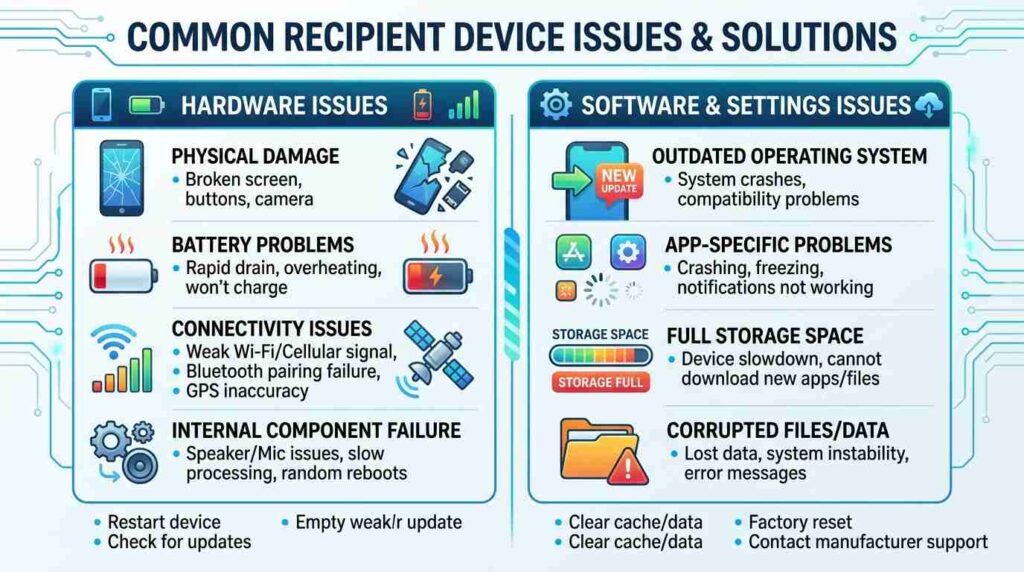
Sometimes, the issue isn’t on your end at all.
If the recipient’s phone is off, your message can’t deliver yet.
It’ll deliver once they turn on their phone and connect to the internet.
If their battery died or they’re traveling, that also causes delays.
If they’re out of network range, delivery will pause.
Apple keeps the message pending for up to a few days.
Once the device reconnects, delivery happens automatically.
If it still doesn’t deliver, it might mean the device is no longer using iMessage.
imessage doesn’t say delivered but is blue
Wait and check again later before assuming the worst.
🌐 Your Internet Connection
Your internet speed matters when sending iMessages.
If Wi-Fi or data is slow, messages might fail to deliver.
Try switching from Wi-Fi to mobile data or vice versa.
Open Safari or another app to test your internet.
If your connection drops mid-send, the message will hang.
Go to Settings → Messages and turn off iMessage, then turn it back on.
This refreshes your connection with Apple’s servers.
messages blue but not delivered
After reconnecting, messages often deliver instantly.
Always make sure your internet is strong before troubleshooting further.
🚫 Could You Be Blocked
When someone blocks you, your messages may turn blue but never show Delivered.
You won’t get any notification about being blocked.
iphone message blue but not delivered
They won’t change to green because iMessage still tries to send them.
If it happens repeatedly with one contact, that might be the reason.
Try calling the person — if it goes straight to voicemail, it’s a hint.
Or message another contact to test if iMessage works.
If others deliver fine, the issue is likely with that person.
Blocking prevents messages, calls, and FaceTime from going through.
It’s silent but effective — and one main cause of undelivered blue texts.
🛠️ Check iMessage System Status
Apple’s iMessage servers occasionally go down.
Visit Apple’s official System Status page online.
Look for iMessage — if it’s yellow or red, there’s a temporary outage.
When this happens, everyone faces delivery delays.
You can’t fix it — you’ll just need to wait until Apple restores it.
Once servers are back, all pending messages will deliver automatically.
text is blue but not delivered
Checking the status can save time and confusion.
If iMessage is up but still fails, then it’s likely a device issue.
Knowing this keeps you calm when delivery pauses.
⚙️ How to Fix Message Is Blue but Not Delivered
Check your internet first and refresh your connection.
Restart your iPhone to clear temporary issues.
Toggle iMessage off and on again in Settings.
Try sending a text to another contact to confirm if the issue is general.
If messages work for others, it’s likely recipient-related.
Update your iOS software to the latest version.
If the message still doesn’t deliver, choose “Send as Text Message.”
iphone message not delivered but blue
Deleting and re-adding the contact can also help sometimes.
These small steps usually get your messages moving again.
💬 Delivered vs Read: What’s the Difference
Delivered means your message reached the recipient’s device.
imessage not delivered but blue.
If it’s blue but shows neither, it hasn’t reached them yet.
Sometimes, people turn off Read Receipts, so you won’t see “Read.”
Delivered confirms the message arrived — Read confirms they saw it.
If the message is missing both, something stopped the process early.
imessage not delivering but blue
Delivered and Read both depend on stable internet.
Knowing the difference helps you avoid unnecessary worry.
message blue but not delivered
🔒 Privacy and Delivery Settings
Go to Settings → Messages → Send as SMS and enable it.
This allows messages to send as regular texts when iMessage fails.
Turn on Send Read Receipts if you want confirmation.
Keep iMessage enabled for all your Apple devices.
You can also reset network settings under General → Reset.
That clears old Wi-Fi and connection data.
Turn on Filter Unknown Senders to stay safe from spam.
All these settings help messages deliver smoothly.
texts blue but not delivered
Adjust them for the best messaging experience.
i message blue but not delivered
- iMessage shows blue when sent via Apple servers
- Message may fail if internet is not working
- Poor WiFi or mobile data can stop delivery
- The receiver’s phone might be turned off
- The recipient may not have iMessage enabled
- Apple server issues can delay delivery
- You may be blocked by the receiver
- The message may still be in sending status
- Incorrect date and time settings can affect delivery
- Temporary glitches in iPhone can cause this issue
why is my message blue but not delivered
- Blue color means iMessage instead of SMS
- No delivery means message didn’t reach device
- Internet connection might be weak or unstable
- Recipient could be in airplane mode
- iMessage may be turned off on their device
- Apple ID issues can interrupt sending
- Network restrictions can block iMessage
- Phone software bugs may cause errors
- Message could be stuck in sending queue
- Restarting device often fixes the problem
blue text but not delivered
- Blue text confirms it’s an iMessage
- Delivery fails without active internet
- Receiver may have switched to Android
- iMessage may be temporarily down
- Message may be waiting to send
- Wrong Apple ID settings can cause delay
- Device storage issues can affect messaging
- Outdated iOS version can create bugs
- Network switching can interrupt sending
- Turning iMessage off and on can help
imessage is blue but not delivered
- iMessage uses internet not SMS
- No delivery means it didn’t reach recipient
- Weak signal can interrupt sending
- Receiver might have disabled iMessage
- Apple server downtime can cause delays
- Message could be stuck in process
- Incorrect settings can block delivery
- Phone may need a restart
- SIM or network issues can interfere
- Logging out and back into Apple ID can fix it
my message is blue but not delivered
- Blue message indicates iMessage service
- Not delivered means message failed to send
- Internet connection might be lost
- Recipient device might be offline
- iMessage may not be active on receiver side
- Temporary app glitch may occur
- Software update might be needed
- Message may resend automatically later
- Network congestion can delay sending
- Resetting network settings may solve it
iphone messages blue but not delivered
- Blue messages mean sent via iMessage
- Delivery depends on internet connection
- Receiver phone might be switched off
- iMessage could be disabled on their phone
- Apple servers may be facing issues
- Message may be stuck in sending state
- Network interruptions can stop delivery
- Device bugs can cause message failure
- Airplane mode can block messages
- Reconnecting to internet can fix it
blue imessage but not delivered
- Blue iMessage requires internet to send
- Not delivered shows sending failure
- Receiver may not be connected to internet
- iMessage might be turned off
- Apple ID sync issues can occur
- Message could be delayed in queue
- Network errors can stop delivery
- Device restart may resolve issue
- System glitches can affect messages
- Checking settings can help fix the problem
FAQ
Does blue mean the message was delivered?
No, blue only means it was sent via iMessage. Delivered means it reached.
Can a message be blue and not delivered if I’m blocked?
Yes, that’s one of the main signs.
How long does iMessage wait to deliver?
Apple servers hold messages for up to a few days.
Will it turn green if not delivered?
Only if Send as SMS is enabled.
How can I know if I’m blocked for sure?
You can’t be 100% sure, but repeated undelivered messages and calls going to voicemail are signs.
🌟 Conclusion
When your message is blue but not delivered, it doesn’t always mean something bad. Most of the time, it’s just a temporary issue the recipient’s phone is off, their connection is weak, or iMessage is down.
Stay calm, check your settings, and try again later. If needed, send as a text message to keep the conversation going.
Now that you know what blue but not delivered means, you can text with more confidence — and less confusion. 💙

Emily is a professional content writer at msseage.com, specializing in messaging guides, tech tips, and user-friendly digital communication content