
If you’ve received a Coinbase text message, you might feel curious, cautious, or even concerned. Coinbase often sends texts for verification, account updates, or security alerts. These messages are usually automated, but it’s important to understand what they mean and how to handle them safely.
This guide explains why you might receive a Coinbase text message, what to do when you get one, and how to stay secure while using your account.
💬 What Is A Coinbase Text Message
A Coinbase text message is an automated SMS from Coinbase, the cryptocurrency platform.
It can be a verification code for logging in or changing account settings.
Some messages are alerts about account activity or transactions.
Coinbase also sends promotional messages for new features or updates.
These messages typically come from short codes or verified numbers.
They usually include a clear reference to Coinbase and instructions.
You might get one-time codes for two-factor authentication (2FA).
Other messages could notify you of security issues or suspicious login attempts.
They are designed to keep your account secure and informed.
Always read the content carefully and avoid clicking unknown links.
💬 Why You Might Receive A Coinbase Text
You may receive a Coinbase text if you:
Just signed up for a new account.
Are logging in from a new device or location.
Enabled two-factor authentication (2FA).
Made a transaction, like buying, selling, or transferring crypto.
Changed your account password or email.
Opted in for promotional messages or updates.
Coinbase detected unusual activity on your account.
Someone else tried to log in using your number.
Participate in Coinbase programs that require SMS alerts.
Receive reminders for upcoming account actions or updates.
💬 Verification Codes And Two-Factor Authentication
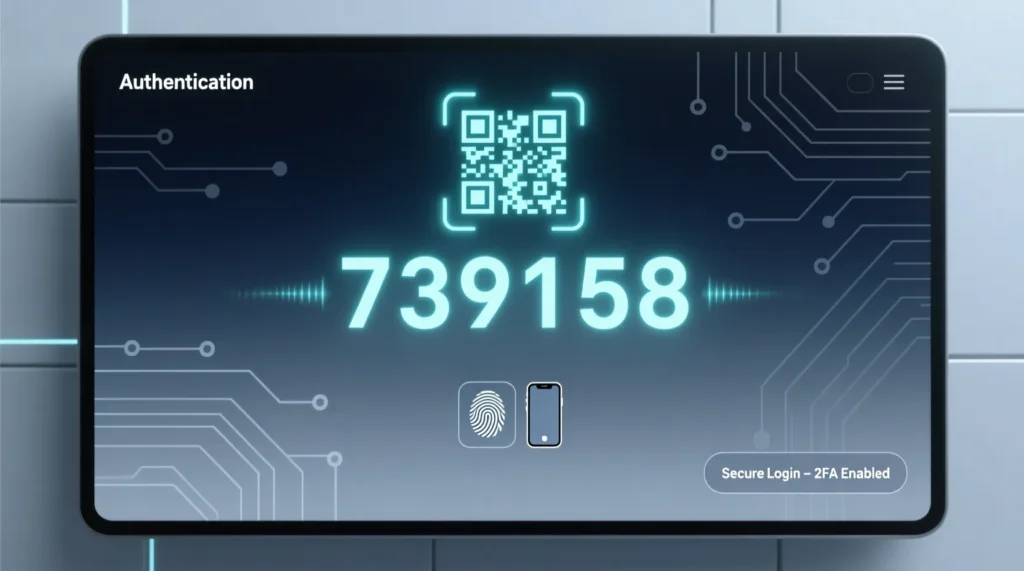
Most Coinbase text messages are verification codes for security.
These codes confirm that you are the legitimate account owner.
Do not share your code with anyone, even if they claim to be Coinbase support.
You will need it when logging in from a new device.
Enter the code quickly, as it usually expires in minutes.
If you didn’t request a code, it might be someone else trying to access your account.
Never enter a code on a website outside of Coinbase.
You can enable or adjust 2FA settings in your account.
Two-factor authentication greatly reduces the risk of unauthorized access.
Always use text or app-based 2FA for extra security.
💬 Security Alerts And Unusual Activity
Coinbase may send texts if suspicious activity is detected.
These can include logins from unfamiliar devices or locations.
The message may ask you to verify the action or reset your password.
Always check your account through the official Coinbase app or website.
Do not click links in unexpected messages, even if they look official.
Enable notifications for all security alerts in your account settings.
Regularly monitor recent activity to spot any anomalies.
Take action immediately if you notice suspicious login attempts.
This proactive approach helps prevent theft or account compromise.
Coinbase will never ask for your password via text.
💬 Promotional And Informational Messages
Some Coinbase texts provide updates, news, or new features.
These are optional and can be opted out of in your account settings.
They might include alerts about market trends or limited-time offers.
Always verify links before clicking to avoid phishing.
Promotional texts are less urgent than security alerts.
If you enjoy updates, you can leave them enabled.
If not, use the unsubscribe or settings option.
These messages usually come from short codes or verified numbers.
They will clearly reference Coinbase.
Adjust your preferences to control which notifications you receive.
💬 How To Identify Legitimate Coinbase Texts
Look for clear sender identification, like “Coinbase” or a verified short code.
Legitimate messages will include actionable instructions, not threats.
They should not ask for your full password or personal info.
Avoid clicking links from suspicious or unexpected texts.
Check your account through the official app if in doubt.
Legit messages often match recent actions you took.
Be cautious if the text mentions urgency or consequences.
Scammers may spoof Coinbase numbers to look real.
Always double-check sender numbers with official support if unsure.
Trust your account activity, not just the text itself.
💬 What To Do If You Receive Unexpected Coinbase Texts
Do not panic if you get a random text from Coinbase.
Check your account directly via the official app.
Do not respond to unknown numbers or click suspicious links.
Change your password if you suspect a security risk.
Enable two-factor authentication if it is not already active.
Monitor your account for unusual transactions.
Report suspicious messages to Coinbase support.
You can block the number if it is clearly spam.
Keep your phone’s OS and Coinbase app updated.
Regular checks help keep your crypto assets secure.
💬 Common Problems And Fixes
If you’re not receiving Coinbase texts:
Check your signal and network connection.
Ensure you entered the correct phone number in your account.
Verify that you haven’t blocked Coinbase short codes.
Check if your carrier is delaying SMS delivery.
Update the Coinbase app and your phone OS.
Restart your device to refresh connections.
If still not receiving messages, contact Coinbase support.
Use the app-based authenticator as a backup if SMS fails.
Test with a simple login code request to confirm delivery.
Following these steps ensures timely notifications and codes.
💭 FAQs About Coinbase Text Messages
Why did I get a Coinbase text out of the blue
It may be for verification, security alerts, or someone entering your number by mistake.
Is it safe to click links in Coinbase texts
Only click links if you initiated the action and recognize the sender.
Can I stop Coinbase text messages
Yes, adjust notification preferences in your account settings or reply STOP if it is a promo.
What if I didn’t request a verification code
Someone else might be trying to log in. Check your account and change your password if necessary.
How do I know a Coinbase text is real
Legitimate texts come from verified numbers or short codes and never ask for full passwords.
✅ Conclusion
Coinbase text messages are mainly for verification, security, or updates. While they may seem sudden or confusing, understanding their purpose keeps you safe.
Always verify unexpected messages through the official app, never share your codes, and enable two-factor authentication.
By following these simple steps, you can handle Coinbase texts confidently, protect your account, and stay in control of your crypto activities.

Emily is a professional content writer at msseage.com, specializing in messaging guides, tech tips, and user-friendly digital communication content